
rspress-plugin-third-parties

npm version npm downloads license React 19 Rspress Docs & Demo

High-performance third-party embeds, Google Tag Manager, analytics, and non-blocking script strategies for Rspress sites.

πŸ“– Read the Documentation Β· πŸš€ View Interactive Demo Β· πŸ“¦ NPM Package


⚑ Overview

rspress-plugin-third-parties brings Next.js-style third-party optimizations (@next/third-parties) directly to Rspress.
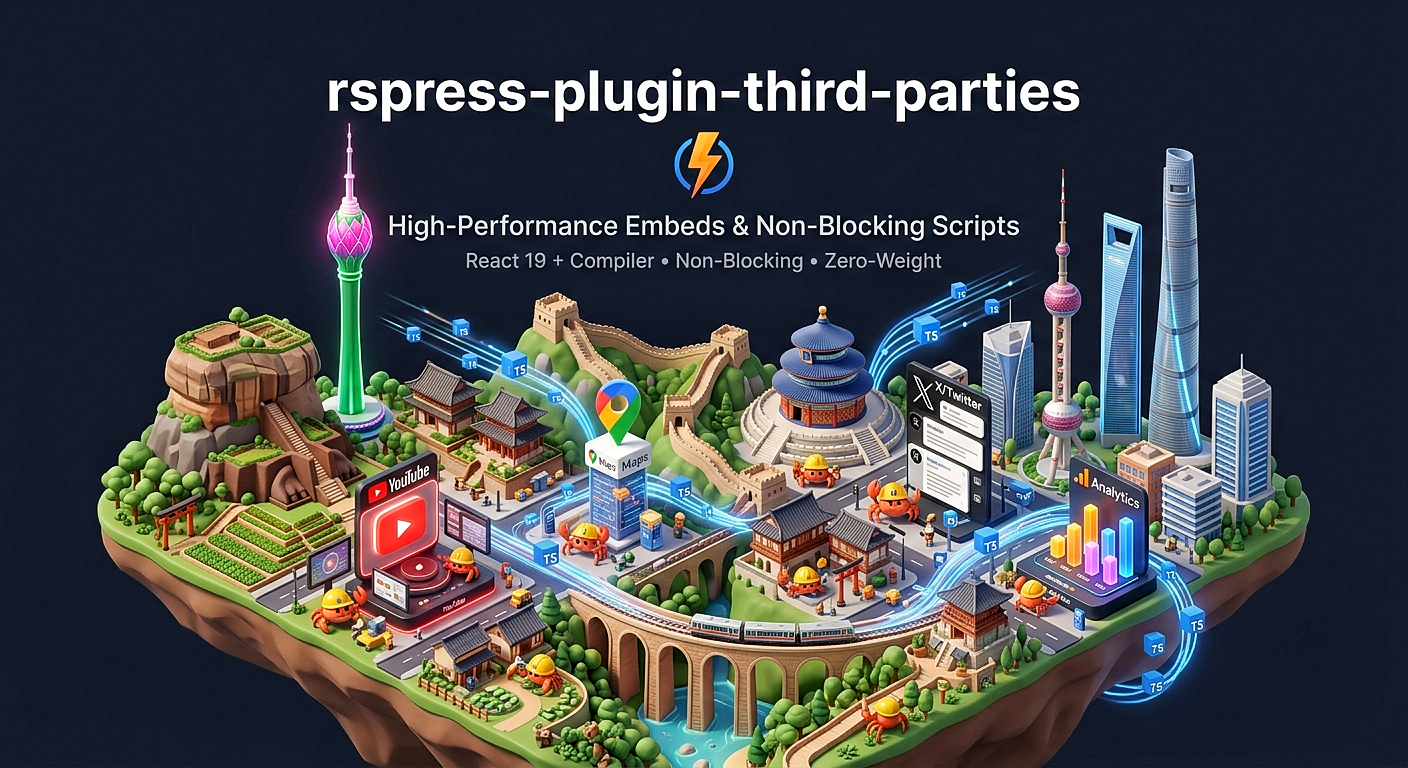
External embeds (like YouTube, Google Maps, and Twitter/X posts) and script tags (like GA4 and GTM) are notorious for blocking the main thread, lowering Lighthouse performance scores, and causing layout shifts. This plugin solves that by providing:

  • ⚑ React Compiler Pre-Optimized: Ships fully compiled with automated auto-memoization at build-time. Zero unnecessary re-renders.
  • πŸš€ Non-Blocking Execution: Lazy loading scripts using requestIdleCallback and fine-grained loading strategies.
  • ⚑ React 19 Resource Pre-initialization: Leverages native ReactDOM.preinit and ReactDOM.preload during SSG/SSR.
  • 🧠 Smart Memory Caching: Built-in script deduplication and stylesheet cache registry.
  • πŸ› οΈ Zero-Config Global GA: Inject Google Analytics across all documentation pages automatically via your rspress.config.ts.
  • πŸ“¦ Zero-Weight Embeds: Powered by third-party-capital for lightweight HTML generation.

πŸ“‘ Table of Contents


πŸ“¦ Installation

Install via your preferred package manager:

npm
yarn
pnpm
bun
deno
npm install rspress-plugin-third-parties

πŸ”Œ Plugin Registration

To auto-inject Google Analytics globally across your Rspress documentation, register the plugin in your rspress.config.ts:

// rspress.config.ts
import { defineConfig } from "rspress/config";
import { pluginThirdParties } from "rspress-plugin-third-parties/plugin";

export default defineConfig({
  plugins: [
    pluginThirdParties({
      googleAnalytics: {
        gaId: "G-XXXXXXXXXX", // Your GA4 Measurement ID
        debugMode: false, // Set to true for local testing
        dataLayerName: "dataLayer",
      },
    }),
  ],
});

🧩 Component Reference

<Script />

The foundation component powering all external integrations. It manages script mounting, deduplication, inline scripts, stylesheet preloading, and lifecycle events (onLoad, onReady, onError).

import { Script } from "rspress-plugin-third-parties";

{/* Load after interactive */}

<Script
  src="https://sanjaiyan-cool.web.app/script/v1/1/SanWebMaker.js"
  strategy="afterInteractive"
  onLoad={() => console.log("Widgets loaded!")}
/>

{/* Inline Script */}
<Script id="custom-inline-script">
  {`console.log('Inline script running');`}
</Script>

<Script /> Props

PropTypeDefaultDescription
srcstring""Source URL of the script.
strategy"afterInteractive" | "lazyOnload" | "beforeInteractive""afterInteractive"Script loading strategy.
idstringsrcUnique script identifier used for cache deduplication.
onLoad(e: Event) => voidβ€”Callback fired when the script successfully loads.
onReady() => voidβ€”Callback fired on load, or immediately if script was previously loaded.
onError(e: Event) => voidβ€”Callback fired when script loading fails.
stylesheetsstring[]β€”Array of stylesheet URLs to pre-init/inject alongside the script.
noncestringβ€”CSP nonce string.

<YouTubeEmbed />

Powered by lite-youtube-embed under the hood. Renders an ultra-fast visual facade that defers the heavy YouTube player until play is clickedβ€”keeping your main thread pristine and Lighthouse scores flawless.

import { YouTubeEmbed } from "rspress-plugin-third-parties";

# Youtube Video

<YouTubeEmbed
  videoid="sSbDtQTtwBY"
  height={400}
  playlabel="A Lineage of Logic, A Future of Code"
/>

<YouTubeEmbed /> Props

PropTypeDefaultDescription
videoidstringRequiredThe YouTube Video ID.
heightnumbernullContainer height in pixels.
widthnumbernullContainer width in pixels.
playlabelstring'Play'Accessible play button aria-label.
paramsstringβ€”Additional iframe URL parameters (e.g. "controls=0&start=10").
stylestringβ€”Additional CSS styles for the container.

<GoogleMapsEmbed />

Provides performance-optimized embeds for Google Maps without blocking the browser during initial navigation.

import { GoogleMapsEmbed } from "rspress-plugin-third-parties";

<GoogleMapsEmbed
  apiKey="YOUR_GOOGLE_MAPS_API_KEY"
  mode="place"
  q="Point Pedro, Sri Lanka"
  height={450}
  zoom="14"
/>

<GoogleMapsEmbed /> Props

PropTypeDefaultDescription
apiKeystringRequiredYour Google Maps Embed API key.
mode"place" | "view" | "directions" | "streetview" | "search"RequiredEmbed mode.
qstringβ€”Map search query or location place name.
centerstringβ€”Lat/lng center point ("9.814937,81.166080").
zoomstringβ€”Map zoom level (0 to 21).
maptype"roadmap" | "satellite"'roadmap'Map rendering mode.
languagestringβ€”Map language code (e.g. 'ta', 'en').
regionstringβ€”Regional country code.
loading"eager" | "lazy"'lazy'Native iframe loading attribute.

<TweetEmbed />

Zero-overhead Twitter/X post embed powered by react-tweet. Fetches raw post data and renders lightweight, native React DOM components styled identically to X/Twitter UI without downloading heavy widgets.js scripts or layout-shifting IFrames.

import { TweetEmbed } from "rspress-plugin-third-parties";

{/* Basic Tweet */}
<TweetEmbed id="2017178323550605790" />

{/* Tweet with optional forced theme */}
<TweetEmbed 
  id="2017178323550605790" 
  theme="dark" 
/>

<TweetEmbed /> Props

PropTypeDefaultDescription
idstringβ€”The Tweet / X Post ID (extracted from tweet URL).
theme"light" | "dark"useDark()Optional theme override. Inherits Rspress reactive theme if omitted.
captionReactNodeβ€”Optional accessible caption rendered in a <figcaption> tag beneath the tweet.
apiUrlstringβ€”Custom proxy API URL for fetching raw tweet data.
fallbackReactNodeβ€”Loading skeleton component rendered while tweet payload is being fetched.
componentsTwitterComponentsβ€”Custom UI component overrides for tweet elements (e.g. custom avatar, media, or links).
fetchOptionsRequestInitβ€”Custom fetch headers or request configuration sent to the tweet API.
onError(error: any) => anyβ€”Callback function fired if tweet data fetching or rendering fails.
classNamestringβ€”Additional CSS class names applied to the container <figure> element.

<GoogleAnalytics />

Explicitly embed Google Analytics 4 (GA4) inside MDX pages or custom layout components.

import { GoogleAnalytics } from "rspress-plugin-third-parties";

<GoogleAnalytics gaId="G-XXXXXXXXXX" debugMode={true} />

<GoogleAnalytics /> Props

PropTypeDefaultDescription
gaIdstringRequiredGA4 Measurement ID (G-XXXXXXXXXX).
dataLayerNamestring'dataLayer'Custom global dataLayer array name.
debugModebooleanfalseEnables Google Analytics debug mode.
noncestringβ€”CSP nonce string.

<GoogleTagManager />

Integrate Google Tag Manager (GTM) with support for custom domains, authentication, preview environments, and custom initial dataLayer states.

import { GoogleTagManager } from "rspress-plugin-third-parties";

<GoogleTagManager
  gtmId="GTM-XXXXXXX"
  dataLayer={{ userRole: "developer", env: "production" }}
/>

<GoogleTagManager /> Props

PropTypeDefaultDescription
gtmIdstringβ€”GTM Container ID (GTM-XXXXXXX).
gtmScriptUrlstring'https://www.googletagmanager.com/gtm.js'Custom domain proxy URL for GTM script.
dataLayerRecord<string, JSONValue>β€”Initial dataLayer object payload.
dataLayerNamestring'dataLayer'Custom dataLayer global array name.
authstringβ€”GTM Environment authentication string (gtm_auth).
previewstringβ€”GTM Environment preview string (gtm_preview).
noncestringβ€”CSP nonce string.
NOTE

You must provide either gtmId or a custom gtmScriptUrl containing the ID parameter.


πŸ“Š Event Tracking Utility

Send custom Google Analytics events dynamically from anywhere in your client-side React code:

import { sendGAEvent } from 'rspress-plugin-third-parties';

function FeedbackButton() {
  const handleClick = () => {
    sendGAEvent('event', 'documentation_helpful', {
      page: window.location.pathname,
      vote: 'yes',
    });
  };

  return <button onClick={handleClick}>Helpful πŸ‘</button>;
}

🎯 Script Loading Strategies

StrategyTimingIdeal For
afterInteractive (Default)Injected immediately after page hydration.Analytics, Tag Managers, essential widgets.
lazyOnloadInjected during browser idle time (requestIdleCallback).Chat widgets, social feeds, low-priority pixels.
beforeInteractiveRendered into raw HTML prior to client JS execution during SSG.Critical consent scripts, anti-bot security.

πŸ”¬ Under the Hood Mechanics

                  β”Œβ”€β”€β”€β”€β”€β”€β”€β”€β”€β”€β”€β”€β”€β”€β”€β”€β”€β”€β”€β”€β”€β”€β”€β”€β”€β”€β”€β”€β”€β”€β”€β”€β”€β”€β”€β”€β”€β”€β”€β”€β”€β”
                  β”‚          Rspress SSG Build Phase        β”‚
                  β””β”€β”€β”€β”€β”€β”€β”€β”€β”€β”€β”€β”€β”€β”€β”€β”€β”€β”€β”€β”€β”¬β”€β”€β”€β”€β”€β”€β”€β”€β”€β”€β”€β”€β”€β”€β”€β”€β”€β”€β”€β”€β”˜
                                       β”‚
                  β”Œβ”€β”€β”€β”€β”€β”€β”€β”€β”€β”€β”€β”€β”€β”€β”€β”€β”€β”€β”€β”€β–Όβ”€β”€β”€β”€β”€β”€β”€β”€β”€β”€β”€β”€β”€β”€β”€β”€β”€β”€β”€β”€β”
                  β”‚      Server Pre-render Execution        β”‚
                  β”‚   Calls safePreload() & safePreinit()   β”‚
                  β””β”€β”€β”€β”€β”€β”€β”€β”€β”€β”€β”€β”€β”€β”€β”€β”€β”€β”€β”€β”€β”¬β”€β”€β”€β”€β”€β”€β”€β”€β”€β”€β”€β”€β”€β”€β”€β”€β”€β”€β”€β”€β”˜
                                       β”‚
                                       β–Ό
                     HTML Output with Native Preloads
                                       β”‚
                  β”Œβ”€β”€β”€β”€β”€β”€β”€β”€β”€β”€β”€β”€β”€β”€β”€β”€β”€β”€β”€β”€β–Όβ”€β”€β”€β”€β”€β”€β”€β”€β”€β”€β”€β”€β”€β”€β”€β”€β”€β”€β”€β”€β”
                  β”‚        Hydration & Browser Idle         β”‚
                  β””β”€β”€β”€β”€β”€β”€β”€β”€β”€β”€β”€β”€β”€β”€β”€β”€β”€β”€β”€β”€β”¬β”€β”€β”€β”€β”€β”€β”€β”€β”€β”€β”€β”€β”€β”€β”€β”€β”€β”€β”€β”€β”˜
                                       β”‚
             β”Œβ”€β”€β”€β”€β”€β”€β”€β”€β”€β”€β”€β”€β”€β”€β”€β”€β”€β”€β”€β”€β”€β”€β”€β”€β”€β”Όβ”€β”€β”€β”€β”€β”€β”€β”€β”€β”€β”€β”€β”€β”€β”€β”€β”€β”€β”€β”€β”€β”€β”€β”€β”€β”
             β”‚                         β”‚                         β”‚
             β–Ό                         β–Ό                         β–Ό
   [afterInteractive]           [lazyOnload]           [Cache Deduplication]
   Appends script after     Uses requestIdleCallback     Prevents fetching identical
   client hydration.        to minimize TBT.             `src`/`id` entries twice.
  1. React 19 Resource Pre-init: Uses ReactDOM.preinit and ReactDOM.preload to declare external resource hints before browser parsing.
  2. Script Caching: Maintains global ScriptCache and LoadCache Map/Set singletons, ensuring identical script tags are never loaded twice across page transitions.
  3. Graceful React 18 Fallback: Fallbacks to dynamic document.createElement('link') stylesheet injection when React 19 resource pre-init functions are unavailable.

πŸ“„ License

MIT Β© Sanjaiyan Parthipan